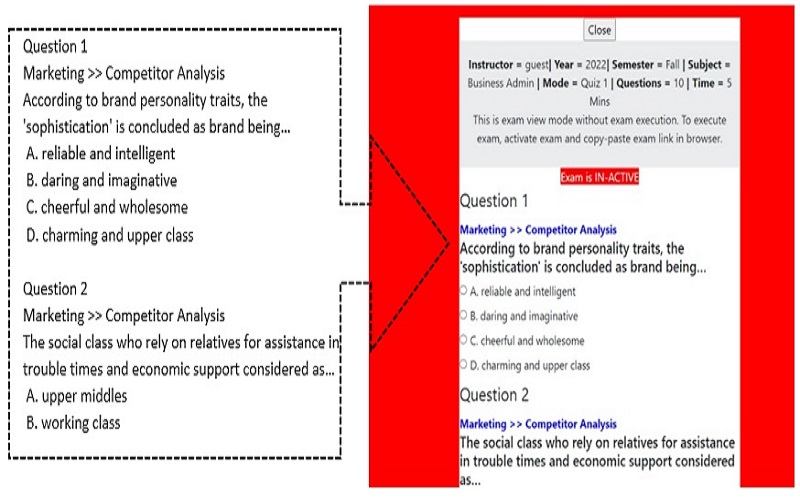
Send us your multiple choice exam in MS Word format, it will be placed online with radio buttons for live usage. You don’t do any complex data entry.
Live exams are instantly automatically graded as they are conducted and detailed results are stored in your ezmcq.com account.
Answer-sheets of exams conducted with student responses are automatically and instantly emailed to you for your record, so no exams are EVER lost.
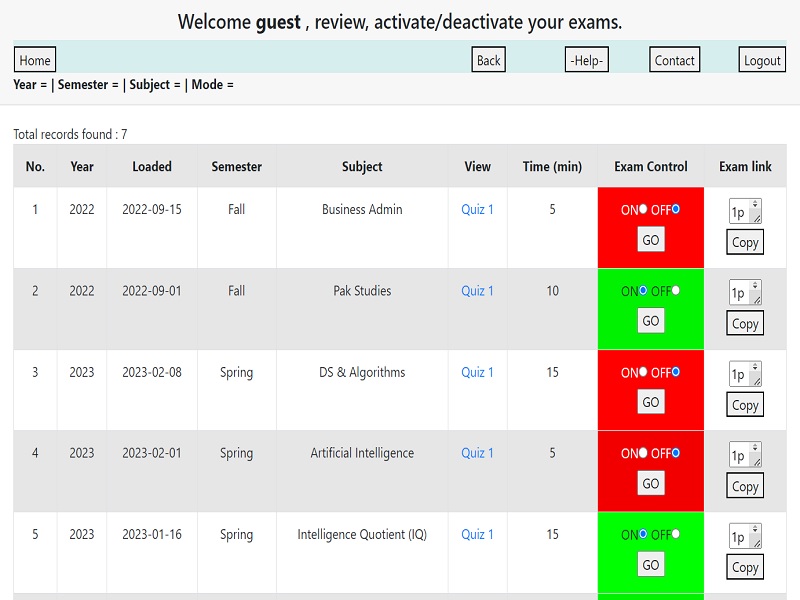
You get the administration panel to control and manage execution of your exams.
Through the control panel, view your exams before activating them, turn ON and turn OFF your exams and press button to copy link of your exam.
Share your exam link with your students via WhatsAp or Email or SMS.
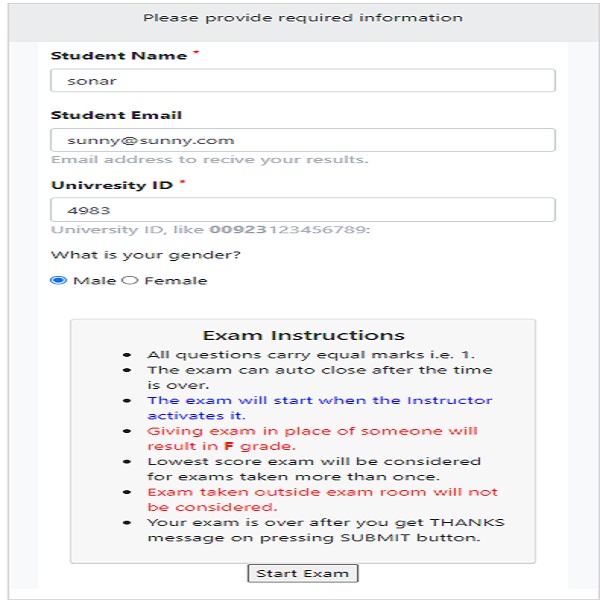
Until you turn ON your exam, no one can execute or view your exam. The start exam button on begin exam screen remains inactive. If someone copy-pastes prior exam link, that too is inactive.
After students have read and understood the exam instructions, and the exam data/time has arrived, you turn ON the exam link.
Once the exam is ON, students refresh their exam screens, the start exam button becomes active and exam can start.
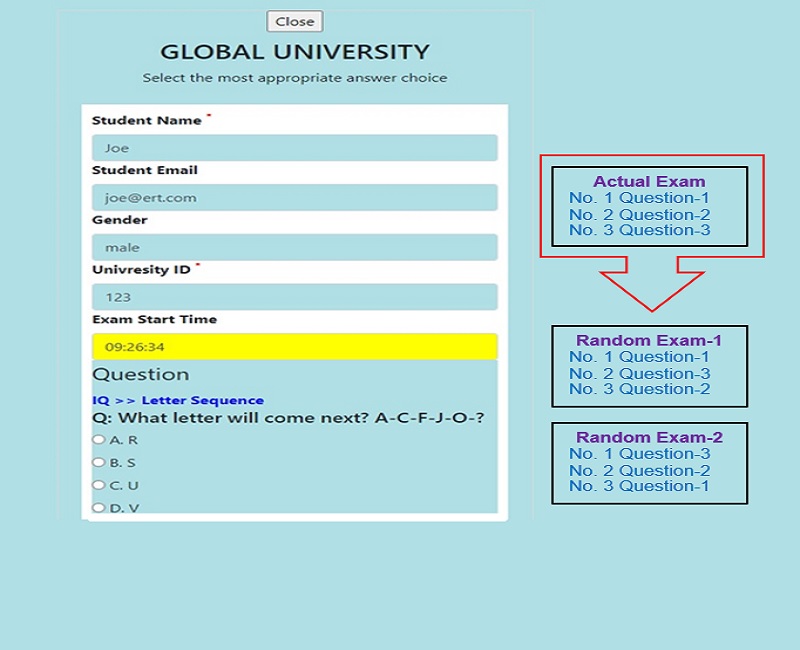
It is unlikely that two students sitting next to each other get the same order of questions for the same exam. With 10 MCQs per exam 36 million question orderings are possible. Thus cheating is reduced.
Students can not begin their exam until they declare their gender. The exam screens are thus assigned two color codes as per student gender (pink or light blue).
Now invigilation is simple, any student screen without the two colors is trying to cheat and thus easy to identify cheating.
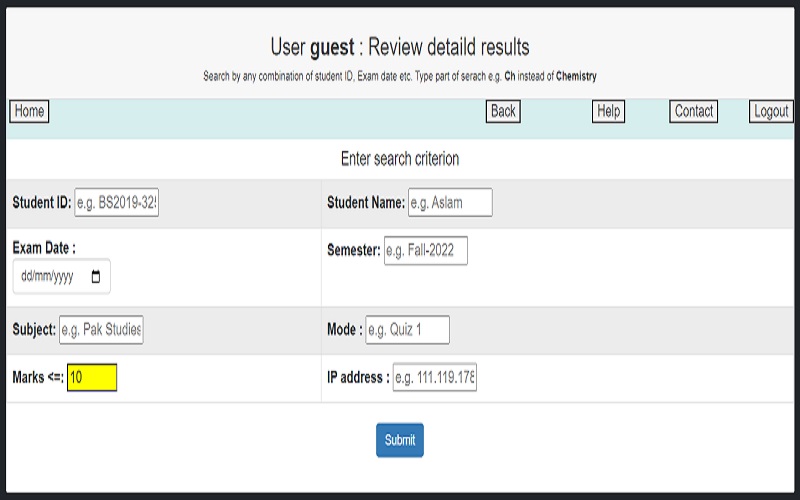
There are numerous dimensions of an exam result, such as student, semester, exam date, IP address and more.
Easy MCQ Testing service currently provides 8 power filtering features. These features can be used by the faculty to do filtering of exam results from generic to very focus by the click of a button.
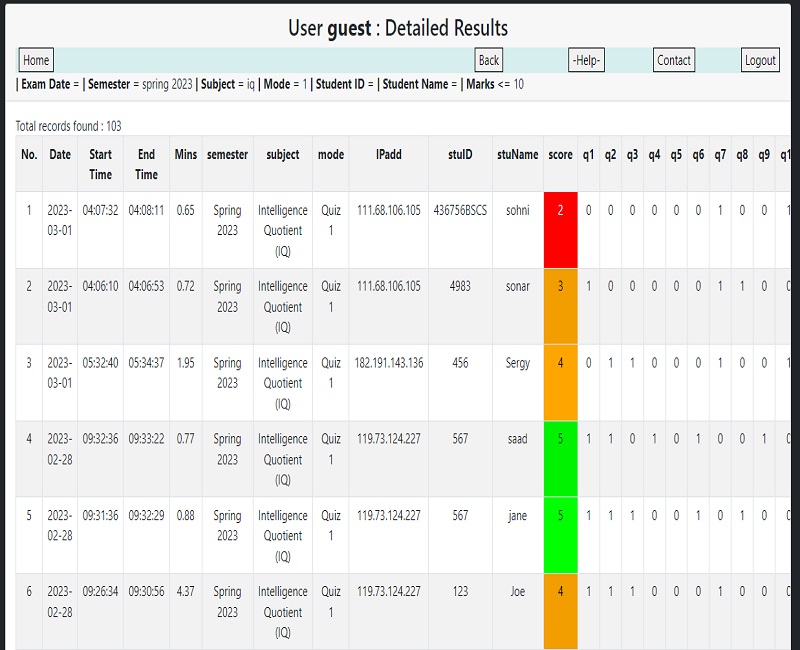
Once the power filtering is applied, detailed exam results can be viewed up to each answer level.
Student overall result is assigned colors as per their performance for ease of comprehension.
Detailed results can help identify suspicious cases e.g. based on time taken and/or correct answer pattern.
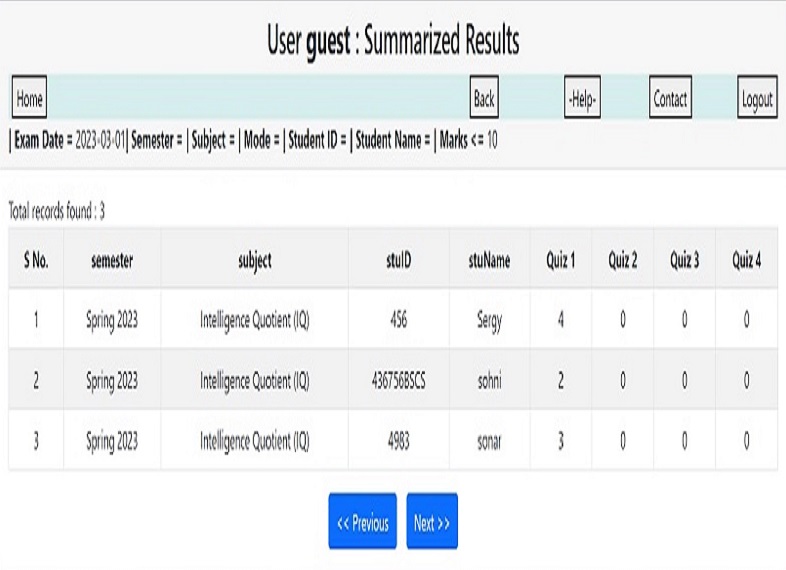
Summarized results displays the overall score of each exam for every student. This feature is invaluable towards the end of the semester, as students want to know their overall performance in (say) class exams/quizzes.
Again using power filtering, very focused results can be viewed, such as for a particular subject or semester etc.
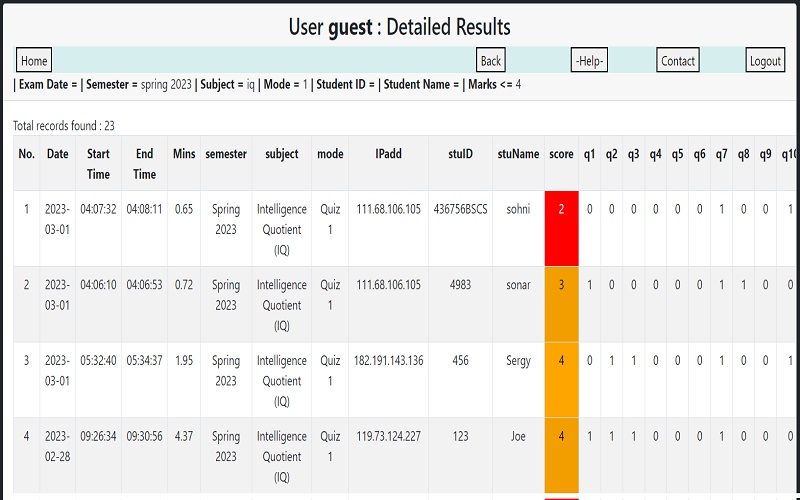
Identify weak or low performing students well in time.
Easily done using power filter by selecting based on student name and semester or subject or score or their combination.
This feature very useful for student councilors or student coordinators or support staff. Take preventive action before it gets late.
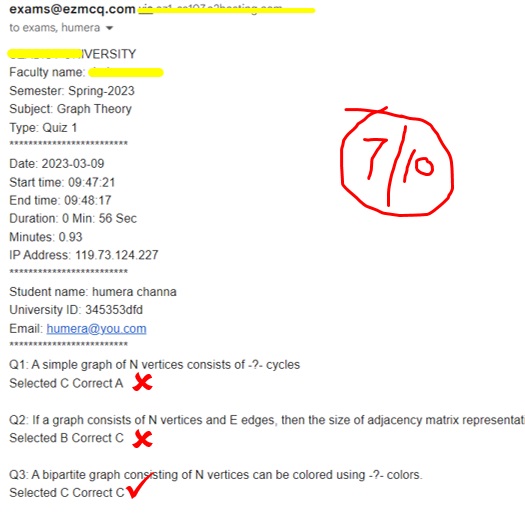
Accreditation bodies want hard copy of student performance evidence; no problem.
Faculty member gets email of student answer-sheet with student response and correct answer, along with necessary details that are not there in a traditional exam.
Just print the answer-sheet email and file it. If time permits grade and file answer-sheet to further meet accreditation requirements.
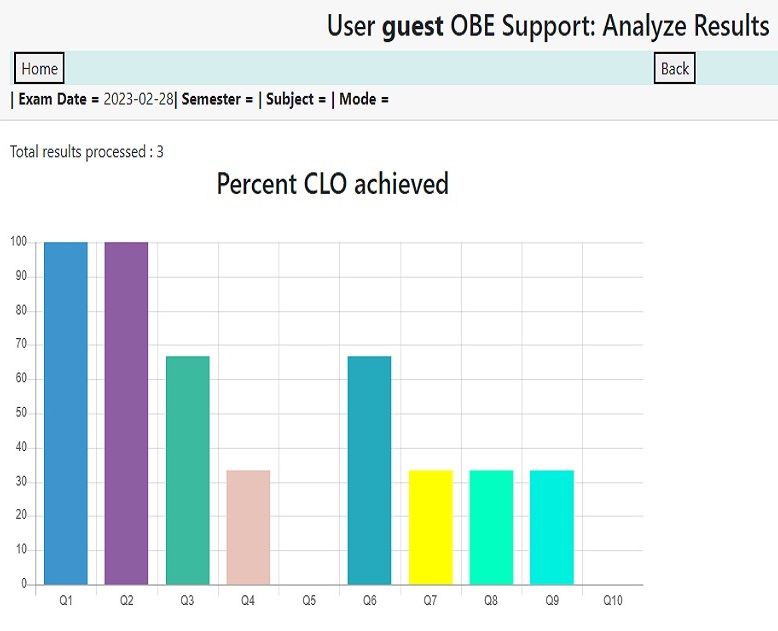
Course learning outcomes (CLOs) help answer the question: What do I want my students to know, demonstrate, or master by the end of this course?
EZMCQ system automatically calculates and displays how students performed for CLO assigned to each question.
CLO evaluation is filtered by Power Filtering to better focus on student performance.
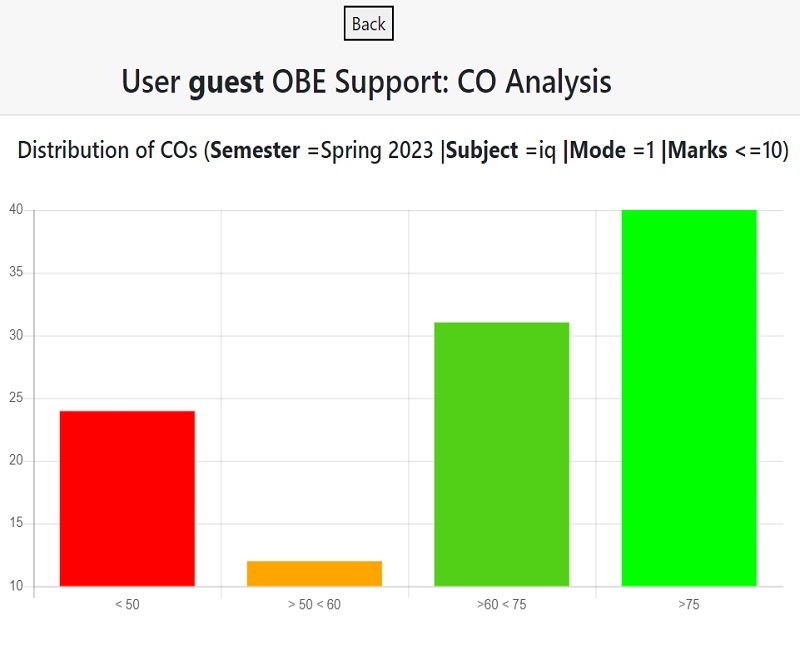
The Course Outcome (CO) is measured through the performance of students in the various assessments tools for the particular course. Here we consider the all the exams/quizzes taken by the students.
EZMCQ helps compare different categories of students as per their CO with reference to a single course or a semester or its combination and more.
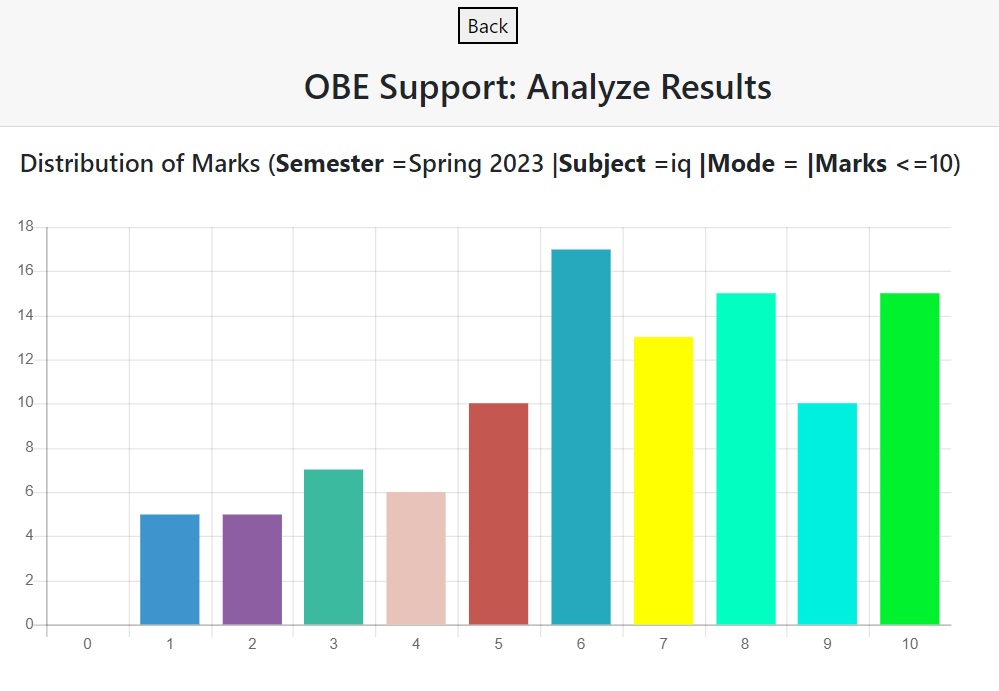
Test scores follow a normal “bell” shaped distribution. This distribution shows us the spread of scores and the average of a set of scores.
No need to manually generate the score distribution or copy-paste among different excel sheets. EZMCQs system does this for you on the push of a button with Power Filtering.
If the distribution of scores is normal, approximately two-thirds of the scores will fall within one standard deviation above and below the mean.
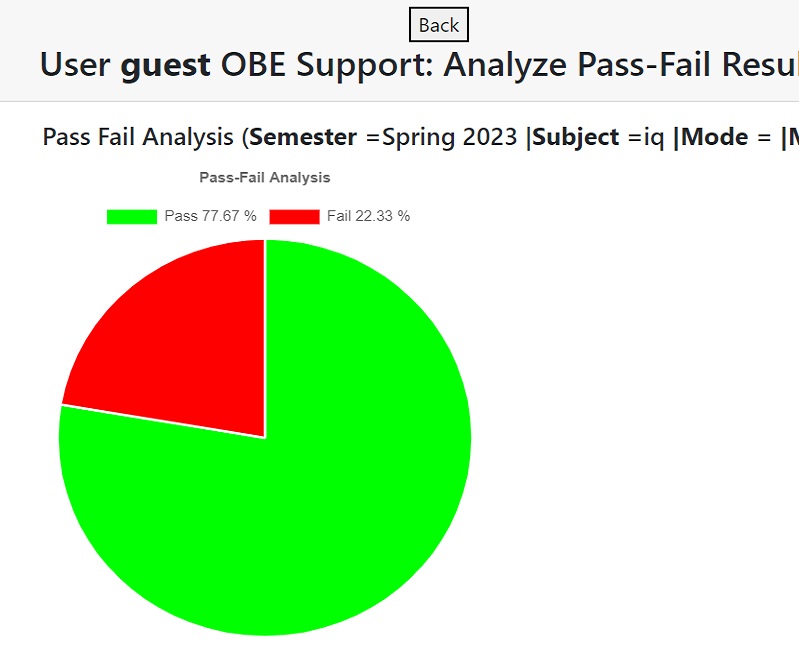
To get an overall picture how students have performed using strict pass-fail criterion.
Based on the pass-fail criterion students tend to be less effected by their peers and concentrate more on learning.
